
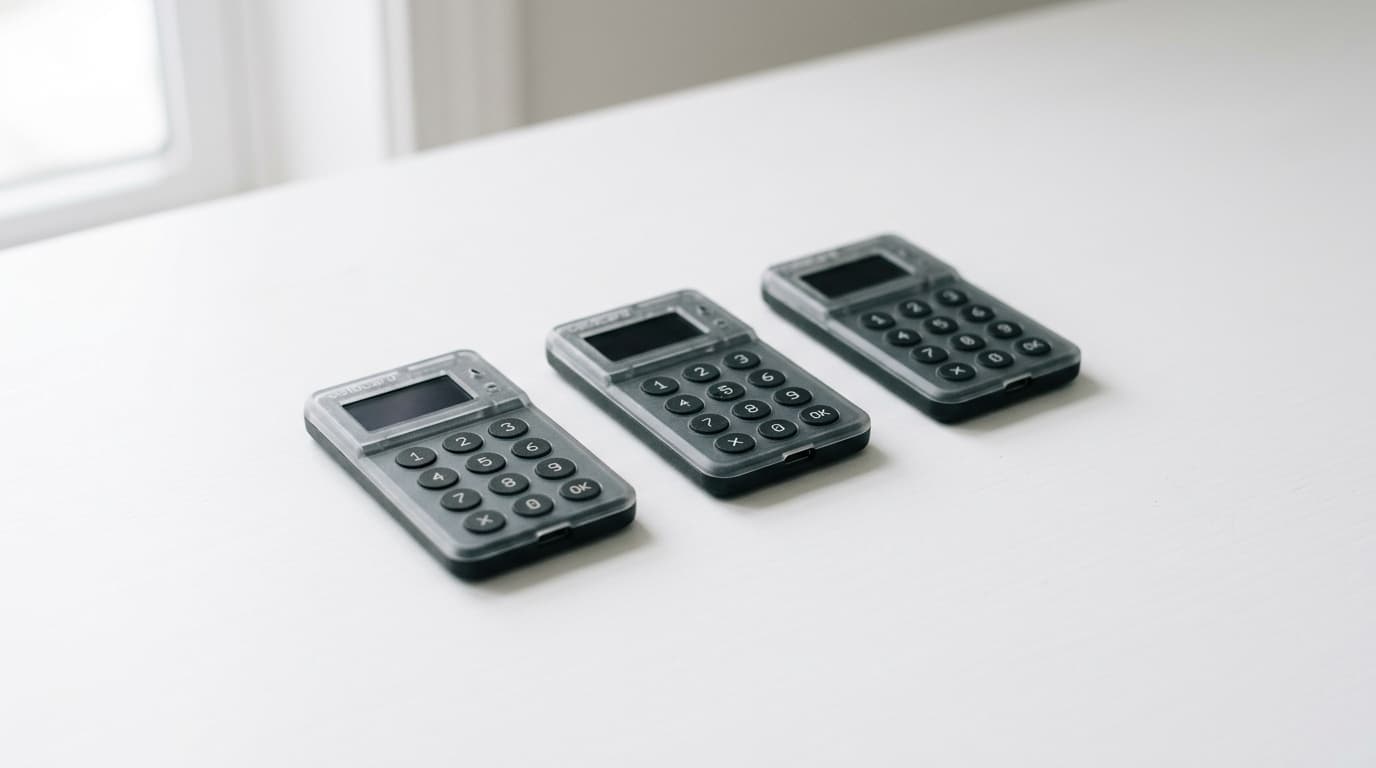
How to Set Up a Bitcoin Keeper Multisig Vault with Coldcard Hardware Wallets
A practical guide to creating a 2-of-3 multisig vault using Bitcoin Keeper and Coldcard devices, covering key generation and signing workflows.
Most Bitcoin holders keep their coins behind a single private key, which means a single point of failure. Lose that seed phrase to a house fire, or have it stolen by someone who finds your metal backup, and your Bitcoin is gone. Multisig changes this equation by requiring multiple keys to move funds, but historically it has meant wrestling with command-line tools and complex coordination.
Bitcoin Keeper offers a mobile-first approach to multisig that handles the coordination layer while letting you keep signing authority distributed across hardware devices. Here's how to set up a 2-of-3 multisig vault using Coldcard hardware wallets.
What You'll Need Before Starting
For a 2-of-3 configuration, you need three keys total, with any two required to authorize transactions. A common approach uses two Coldcard devices you control plus one additional key. That third key could be another hardware wallet, a software key generated by Bitcoin Keeper, or even the app's assisted signing key if you want a backup option.
Gather the following:
- Two Coldcard hardware wallets, each initialized with its own unique seed phrase
- The Bitcoin Keeper app installed on your mobile device
- A method to transfer extended public keys (xpubs) from your Coldcards to your phone, typically via microSD card or QR codes
- A secure location to store your wallet configuration backup file
The Coldcards never need to connect to the internet or even be in the same room as each other. That's part of the security model.
Step 1: Generate Keys on Your Coldcard Devices
Before touching Bitcoin Keeper, set up each Coldcard independently. Power on the device, generate a new seed phrase, and write down the 24 words on paper or stamp them into metal. Do this for both Coldcards, keeping the seed phrases completely separate and stored in different physical locations.
Once each Coldcard has its seed phrase, you'll export the extended public key (xpub) that Bitcoin Keeper needs to build the multisig wallet. On the Coldcard:
- Navigate to Settings > Multisig Wallets > Export XPUB
- Choose the appropriate account (typically the first one)
- Save the file to a microSD card
Repeat this for your second Coldcard. You now have two files containing the public key information, but crucially, no private keys have left the devices.
Step 2: Create the Vault in Bitcoin Keeper
Open Bitcoin Keeper and select the option to create a new vault. The app will walk you through choosing your multisig configuration. Select 2-of-3, which requires two signatures from three possible keys.
Now add your first Coldcard key:
- Choose "Add Hardware Key" and select Coldcard from the list of supported devices
- Import the xpub file from your microSD card, or scan the QR code if your Coldcard model supports that
- Bitcoin Keeper will register this as the first signing key in your vault
Repeat the process for your second Coldcard. Each key gets its own entry in the vault configuration.
For the third key, you have options. Many users choose one of these approaches:
- A third hardware wallet from a different manufacturer (geographic and vendor diversity)
- A software key generated within Bitcoin Keeper (convenient but less secure than hardware)
- The Bitcoin Keeper assisted signing key, which the company holds as an emergency backup
The "Hodler Setup" marketed by Bitcoin Keeper uses this last option: two hardware keys you control plus one key held on their servers. You retain full control since you hold two of three keys, but you gain a recovery option if one of your hardware devices fails.
Step 3: Back Up Your Wallet Configuration
This step is critical and often overlooked. A multisig wallet isn't just the seed phrases; it's also the specific combination of public keys and the configuration that defines how they work together. Bitcoin Keeper generates a Wallet Recovery File containing this information.
Export this file and store it separately from your seed phrases. Without it, recovering your funds after a disaster becomes significantly more complicated. You'd need to remember exactly which keys were involved, in what configuration, and reconstruct the wallet descriptor manually.
Some users store the configuration file in encrypted cloud storage, reasoning that it contains no private keys and therefore can't be used to steal funds. Others keep it on a USB drive in a safe deposit box. The right approach depends on your threat model.
Receiving Bitcoin to Your New Vault
Once the vault is configured, Bitcoin Keeper displays your receiving addresses. These are actual multisig addresses on the Bitcoin blockchain, not held by any third party.
To receive Bitcoin:
- Open your vault in Bitcoin Keeper
- Select "Receive" to generate a fresh address
- Share this address via QR code or copy it as text
Funds sent to this address can only be moved with signatures from two of your three keys. This is enforced by Bitcoin's consensus rules, not by Bitcoin Keeper's software.
Signing and Broadcasting Transactions
Spending from a multisig vault requires coordinating signatures from multiple keys. Bitcoin Keeper handles the coordination; your hardware wallets handle the actual signing.
To send Bitcoin:
- Create a transaction in Bitcoin Keeper, specifying the recipient address and amount
- The app generates a Partially Signed Bitcoin Transaction (PSBT)
- Transfer this PSBT to your first Coldcard via microSD card
- Review the transaction details on the Coldcard screen and sign it
- Export the partially signed transaction back to Bitcoin Keeper
- Repeat with your second Coldcard to add the second signature
- Bitcoin Keeper combines the signatures and broadcasts the fully signed transaction
The keys never need to be in the same location. You could sign with one Coldcard in New York, mail the partially signed transaction file to yourself, and complete the signing with your second Coldcard in Los Angeles a week later. The transaction doesn't broadcast until both signatures are collected and you explicitly tell Bitcoin Keeper to send it.
Handling Key Loss or Compromise
One advantage of Bitcoin Keeper's approach is key rotation. If one of your Coldcards is lost, stolen, or damaged, you don't need to immediately move all your funds to a new wallet.
Since you still control two of three keys, you retain full spending authority. You can:
- Use your remaining two keys to sign transactions normally
- Set up a replacement key on a new hardware device
- Use Bitcoin Keeper's key rotation feature to update the vault configuration
This creates a new multisig arrangement with the replacement key while maintaining your existing addresses and balances. It's considerably less stressful than the single-key scenario where a lost seed phrase means total loss.
Creating Multiple Vaults from the Same Hardware
Your Coldcard seed phrases can participate in multiple independent vaults. Bitcoin Keeper uses different derivation paths to generate separate extended public keys from the same underlying seed. This means you could have:
- A personal savings vault (2-of-3 with your keys only)
- A joint vault with a spouse (2-of-2 for shared funds)
- A business vault (3-of-5 with partners)
All using the same two Coldcards, just enrolled differently in each vault configuration. The funds remain completely separate and the vaults have no connection to each other on the blockchain.
What This Setup Doesn't Do
Multisig improves resilience against key loss and single points of compromise, but it's not a complete security solution.
It doesn't protect against:
- Coercion if an attacker can threaten you into signing with both keys
- Privacy leaks from address reuse or poor UTXO management
- Software bugs in the wallet coordination layer
- Physical attacks on all your key storage locations simultaneously
For large holdings or high-threat environments, consider geographic distribution of keys, time-locked inheritance keys (which Bitcoin Keeper supports via miniscript), and connecting the app to your own Bitcoin node to verify transactions independently.
Moving Forward
A 2-of-3 multisig vault with hardware wallets represents a significant step up from single-signature storage. You gain resilience against device failure, theft of a single backup, and even certain supply chain attacks on hardware wallets (since an attacker would need to compromise devices from multiple purchase channels).
The tradeoff is complexity. Transactions require more steps, and you need to manage multiple devices and backup locations. For long-term holdings you don't plan to touch frequently, this overhead is usually worthwhile. For spending money you access daily, a simpler setup might make more sense.
Bitcoin Keeper's contribution is making this coordination layer accessible through a mobile interface rather than command-line tools. Whether that accessibility tradeoff is right for you depends on your technical comfort level and how much you trust the app's implementation. The keys themselves remain on your hardware devices, which is the foundation that matters.