
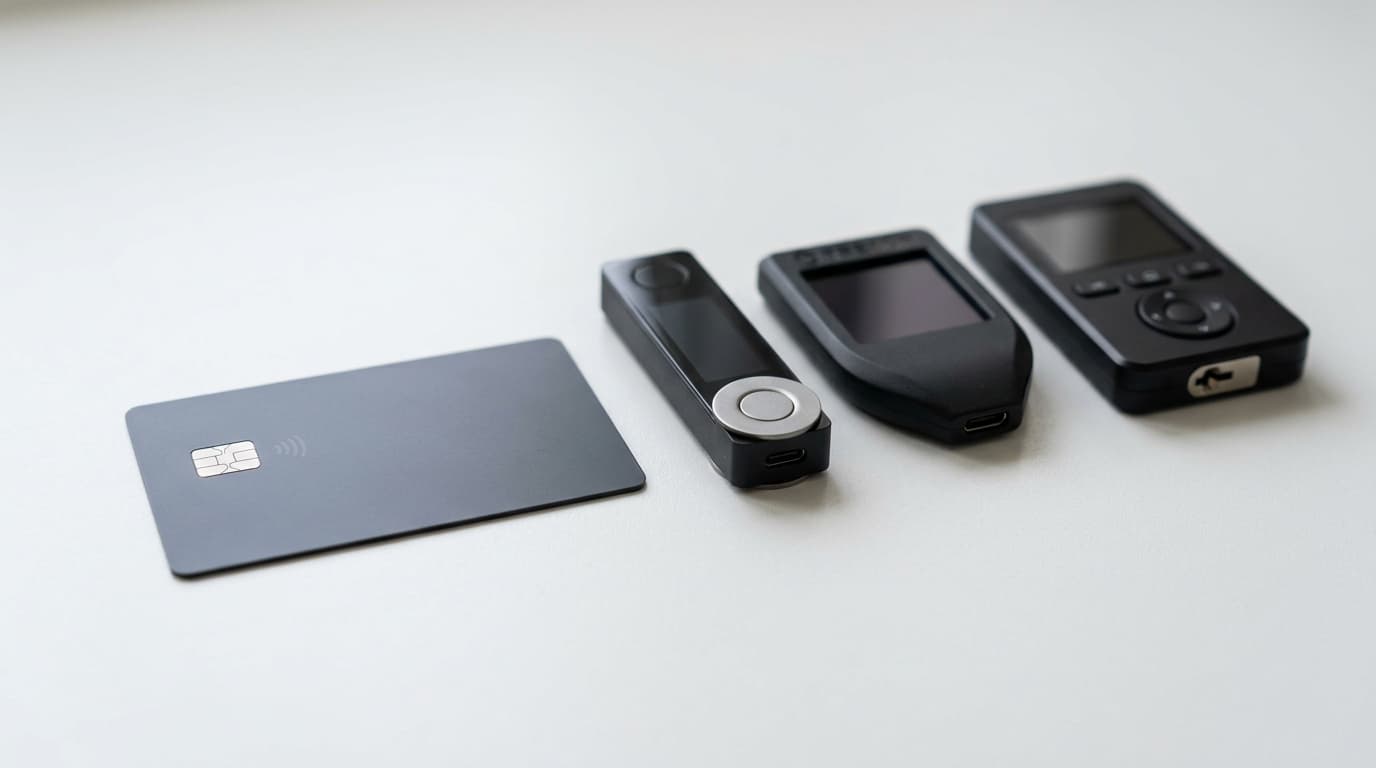
TapSigner Review and How NFC Bitcoin Signing Compares to Premium Hardware Wallets
TapSigner offers Bitcoin signing via NFC for around $20. We analyze how its security and convenience stack up against premium hardware wallets.
For about the price of a nice lunch, you can get a device that keeps your Bitcoin private keys off your phone entirely. That's the pitch behind TapSigner, Coinkite's credit-card-sized NFC signing device that slots into your wallet next to your driver's license.
But does a $20 smartcard actually provide meaningful security? And when does it make sense to spend five to ten times more on a Coldcard, Ledger, or Trezor? Based on publicly available documentation, user reports, and third-party reviews, here's what the tradeoffs actually look like.
What TapSigner Actually Does
TapSigner is a Bitcoin-only NFC card built around a secure element chip. It holds your private keys and signs transactions when you tap it against a compatible phone. The critical distinction from a hot wallet: your keys never exist on the phone itself. They're generated and stored on the card's secure element, isolated from your phone's operating system.
The card has no screen, no buttons, no battery, and no USB or Bluetooth connectivity. It relies entirely on a companion wallet app (primarily Nunchuk) to construct transactions, display addresses and amounts, and broadcast to the network. You tap the card, enter your PIN in the app, and the card signs the transaction data it receives.
This architecture means TapSigner occupies a middle ground in Bitcoin security. It's meaningfully more secure than a pure software wallet on your phone, where malware could potentially extract keys. But it lacks the independent verification that premium hardware wallets provide through their own screens.
Setup and Daily Use
Based on tutorials and user guides, initialization involves pairing the card with Nunchuk, generating a master chain code, replacing the factory PIN printed on the back of the card with your own PIN, and saving an encrypted backup file. The process reportedly takes just a few minutes.
For daily transactions, you construct a payment in Nunchuk, hold the TapSigner to your phone's NFC reader, enter your PIN, and the transaction gets signed and broadcast. The tap-to-sign interaction deliberately mimics the contactless payments experience most people already know from credit cards and Apple Pay.
Users report that NFC reliability is generally good on modern Android and iOS devices, though some mention occasional positioning sensitivity compared to plugging in a USB cable.
The Screen Problem
Here's the fundamental security tradeoff: TapSigner has no way to show you what it's actually signing.
When you use a Coldcard, Ledger, or Trezor, you verify the recipient address and amount on the device's own screen before confirming. Even if your computer or phone is completely compromised, the hardware wallet shows you the real transaction details.
With TapSigner, you're trusting your phone's screen. If malware were to modify the Nunchuk app or intercept the transaction data, you'd have no way to detect the change before signing. The card simply signs whatever properly formatted transaction data it receives once you authenticate with your PIN.
This isn't a theoretical concern. Address substitution attacks, where malware replaces a displayed address with an attacker's address, are a known threat vector. Premium hardware wallets exist specifically to defend against this scenario.
How Premium Hardware Wallets Differ
Devices like the Coldcard Mk5 or Q (from the same manufacturer, Coinkite), Ledger Nano X, and Trezor Safe 3 typically cost between $80 and $250. What does that premium buy?
Independent displays let you verify transaction details on the signing device itself, not just on a potentially compromised phone or computer.
Air-gapped operation on devices like Coldcard allows signing via microSD card or QR codes, meaning the signing device never needs direct connection to any network-connected machine.
On-device policy enforcement lets some devices implement address whitelists, spending limits, or mandatory passphrase entry at the hardware level, providing protection even against compromised host software.
Advanced backup options include Shamir secret sharing schemes, passphrase-protected seeds, and more sophisticated recovery workflows.
Multi-asset support (on Ledger and Trezor, not Coldcard) covers thousands of cryptocurrencies beyond Bitcoin.
These features address threat models that TapSigner's simpler architecture doesn't cover.
Where TapSigner Makes Sense
TapSigner isn't trying to replace a Coldcard for cold storage of significant holdings. Based on expert analysis and manufacturer positioning, it serves different use cases:
Everyday spending wallets. If you keep a few hundred dollars in Bitcoin for regular purchases, TapSigner provides a meaningful security upgrade over a hot wallet without the friction of pulling out and powering up a full hardware device for small transactions.
Multisig setups. At around $20 per card, you can economically implement 2-of-3 multisig schemes where TapSigner serves as one key. If one card is compromised, the attacker still needs additional keys to move funds.
Onboarding and experimentation. The low price point and familiar tap-to-pay interaction lower barriers for people exploring self-custody for the first time.
Carry key for tiered security. Some users keep a TapSigner in their physical wallet for spending funds, while larger holdings remain on air-gapped devices stored securely at home.
The economics also enable redundancy. Three TapSigner cards cost roughly the same as one entry-level traditional hardware wallet.
Recovery and Backup Differences
TapSigner's backup system differs from the standard BIP39 seed phrase approach most hardware wallets use. Rather than 12 or 24 recovery words, you need both the code printed on the back of your card and an encrypted backup file generated during setup.
Lose either component and recovery becomes difficult or impossible. This is a meaningful operational consideration, particularly for users accustomed to the "write down these words" backup model.
If you lose the card itself but have both backup components, you can import into Nunchuk and recreate the wallet as a hot wallet (temporarily), then transfer funds to a fresh key setup.
What About Open Source?
Neither TapSigner nor most premium hardware wallets are fully open source at the hardware and firmware level. Secure elements typically operate under NDAs that prevent complete disclosure. While Coinkite publishes significant documentation and some code, closed components limit complete independent security audits.
This is true across much of the hardware wallet industry. Devices marketed as more transparent, like some DIY SeedSigner builds, trade away other security properties. There's no perfect option here.
The Practical Verdict
TapSigner does exactly what it claims: it keeps your private keys off your phone in a convenient, inexpensive form factor. For threat models focused on phone-based malware stealing keys from software wallets, it provides real protection.
But it doesn't and can't provide the transaction verification security of screened hardware wallets. If your threat model includes sophisticated attacks against your phone that could modify transaction data before signing, TapSigner's architecture has meaningful limitations.
For most people, the right answer probably isn't choosing one or the other. TapSigner works well as a daily spending key for moderate amounts, while a premium hardware wallet protects larger, long-term holdings. The two approaches complement rather than replace each other.
The $20 price point makes that tiered approach practical for users who previously might have kept everything in a single hot wallet out of cost concerns. And that, arguably, moves Bitcoin self-custody forward more than any single perfect solution that most people find too expensive or complex to actually use.