
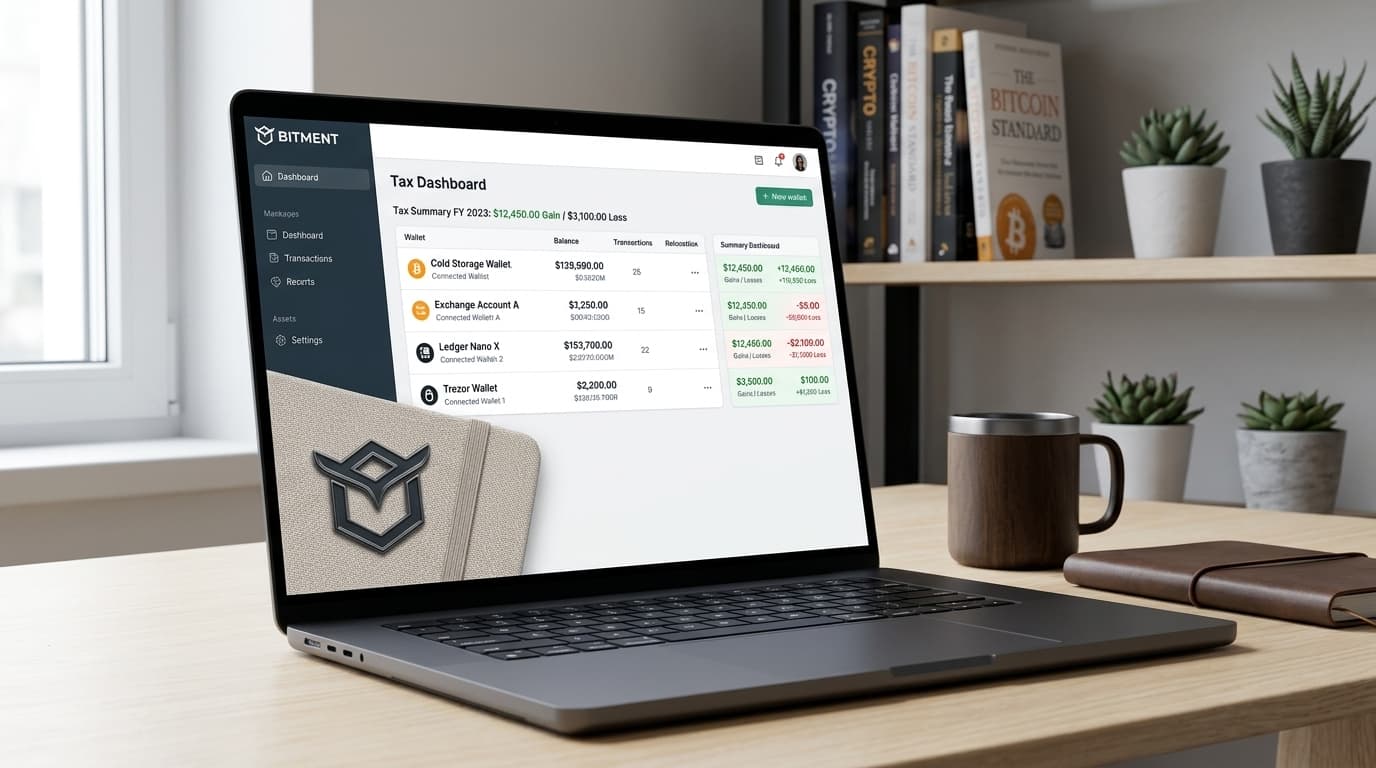
How to Set Up Bitment for Multi-Wallet Bitcoin Tax Reporting
Step-by-step guide for connecting multiple wallets to Bitment and generating IRS-compliant Bitcoin tax reports for 2026 filing.
The IRS now requires wallet-by-wallet cost basis tracking for cryptocurrency, and if you've been accumulating Bitcoin across multiple wallets over the years, this creates a genuine headache. Bitment exists specifically for this problem, designed as a Bitcoin-focused accounting platform that connects your various wallets and generates audit-ready tax reports.
Here's how to set it up for multi-wallet reporting.
What Bitment Does Differently
Most crypto tax software tries to handle every token across every chain. Bitment takes the opposite approach, focusing exclusively on Bitcoin accounting. The platform was built by Jordan Guess, a CPA who runs Satoshi Pacioli, a firm specializing in Bitcoin tax work. That background shows in features like automated cost basis lot tracking for miners and integration with accounting systems for tax strategies like Section 179 deductions on mining equipment.
The tool positions itself as a QuickBooks replacement for Bitcoin holders and businesses, producing financial statements that accountants can actually work with during audit season.
Step 1: Export Your Wallet Data
Bitment connects to wallets through extended public keys (xPubs) or output descriptors rather than requiring you to hand over private keys. This read-only approach means the platform can see your transaction history without having any ability to move funds.
For Sparrow Wallet, you'll export your xPub or output descriptors from the wallet settings. The exact path varies slightly by version, but you're looking for the wallet's public key information in the settings or export menu.
For Unchained collaborative custody setups, Bitment accepts wallet configuration files that contain the necessary public key data for syncing.
Other wallets with xPub export capabilities should work similarly. The key is locating the extended public key (usually starting with xpub, ypub, or zpub depending on the address format) or the output descriptor string.
Step 2: Connect Wallets in the Bitment Dashboard
Once you've gathered your wallet data:
- Log into your Bitment account (a free trial is available if you're evaluating the platform)
- Navigate to the wallet connection section in the dashboard
- Add each wallet by pasting the xPub or uploading the configuration file
- Configure sync settings for each wallet
Repeat this for every wallet you want to track. If you have Bitcoin spread across a cold storage wallet, a mobile wallet, and perhaps an older hardware device you rarely touch, connect all of them. The whole point is consolidated reporting.
Step 3: Tag and Categorize Transactions
This is where the real work happens, and where Bitment earns its keep for complex portfolios.
Once your wallets sync, you'll see a unified view of transactions. Bitment allows you to tag each transaction by type:
- Mining revenue (automatically tracked as cost basis lots)
- Purchases (with acquisition cost)
- Sales (for capital gains calculation)
- Transfers between your own wallets (non-taxable movements)
- Gifts received or given
- Payment for goods or services
Proper tagging matters because the IRS treats these differently. A transfer from your Sparrow wallet to your hardware wallet isn't a taxable event, but the software needs to know that's what happened rather than assuming it was a sale.
For miners specifically, Bitment's automated cost basis tracking for mined Bitcoin is a significant time-saver. Each block reward or pool payout gets recorded at its fair market value when received, establishing your basis for future sales.
Step 4: Generate Tax Reports
With wallets connected and transactions categorized, generating reports becomes straightforward. Bitment produces IRS-compliant documentation including:
- Capital gains and losses summaries
- Cost basis reports by lot
- Income statements for mining revenue
- Audit-ready transaction histories
These reports feed directly into standard tax filing workflows, whether you're doing your own return or handing everything to a CPA.
A Note on Timing and IRS Requirements
The urgency around Bitcoin tax reporting has increased since the IRS introduced Form 1099-DA requirements and wallet-by-wallet basis tracking rules in 2024-2025. If you're filing for 2025 activity this year, having clean records isn't optional anymore.
Bitment's focus on Bitcoin-only accounting means it handles the specific edge cases that general crypto software often fumbles, like properly tracking UTXO-based transactions and collaborative custody arrangements. The tradeoff is obvious: if you hold other cryptocurrencies, you'll need additional tools for those.
Is It Worth Setting Up?
For anyone with Bitcoin spread across multiple wallets, the alternative to dedicated software is typically a spreadsheet that grows increasingly unwieldy each year. If your transaction history spans multiple wallets, includes mining income, or involves any complexity beyond simple buy-and-hold, the time savings from automated syncing and cost basis tracking are substantial.
The platform offers a free trial, so you can connect your wallets and evaluate whether the reporting meets your needs before committing. For the 2026 filing season and beyond, having this infrastructure in place beats scrambling to reconstruct years of transaction history under deadline pressure.