
How to Track Your Bitcoin Transactions Using Blockstream Explorer
Learn to verify Bitcoin transactions, check confirmations, analyze fees, and understand UTXOs using Blockstream Explorer in this step-by-step guide.
Every bitcoin you own has a history. That history stretches back through every wallet that ever held it, through every transaction that moved it, all the way to the moment a miner first brought it into existence. This complete traceability is fundamental to how Bitcoin works, and learning to read that history yourself is one of the most practical skills a Bitcoin user can develop.
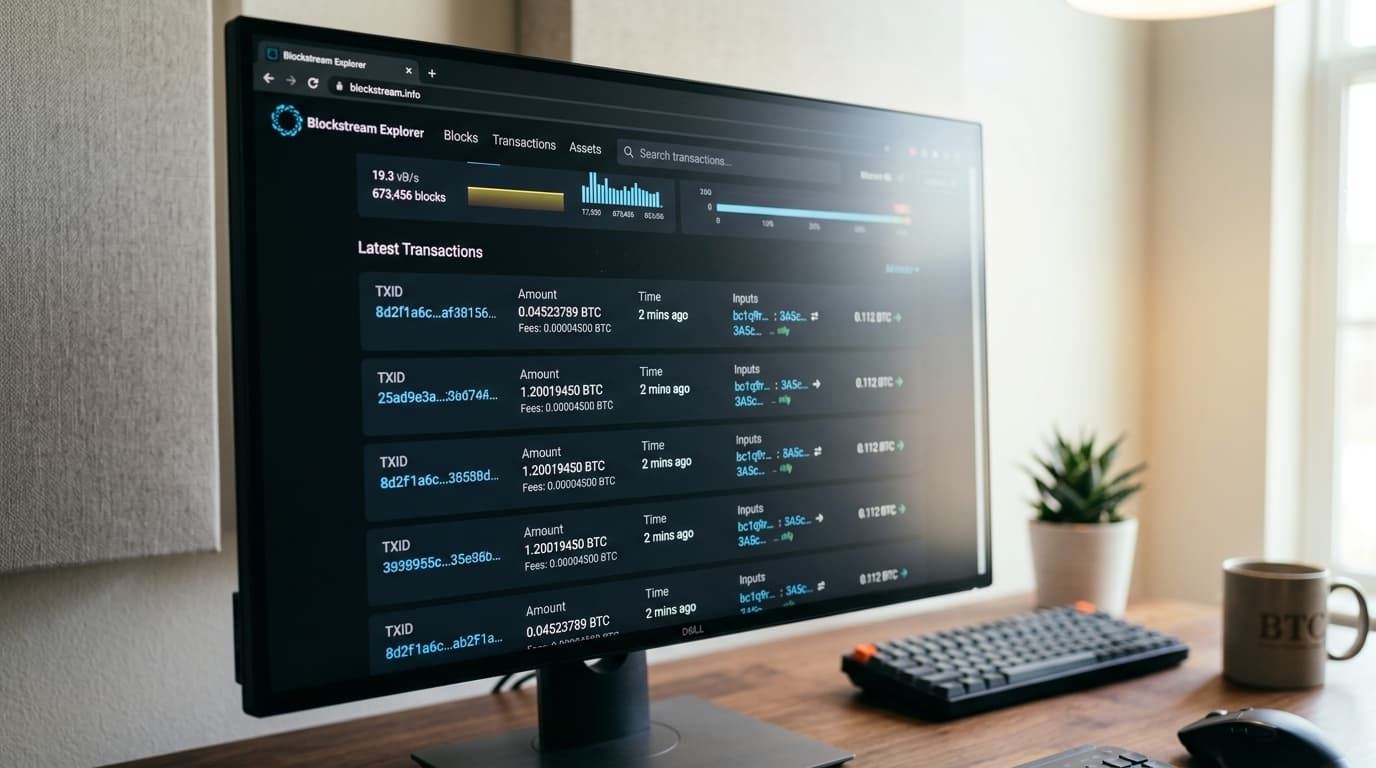
Blockstream.info is a free, open-source block explorer that lets you do exactly that. Whether you're verifying that a payment arrived, checking how many confirmations a transaction has, or analyzing the fee market before sending funds, this tool gives you direct access to Bitcoin's public ledger without relying on your wallet software to interpret the data for you.
What Blockstream Explorer Actually Does
A block explorer doesn't interact with the Bitcoin network the way your wallet does. It doesn't hold keys or broadcast transactions. Instead, it connects to Bitcoin nodes that feed it a live stream of newly confirmed blocks and mempool transactions, then indexes all that data so you can search it.
When you look up a transaction on Blockstream Explorer, you're viewing immutable public data that's already been recorded on the blockchain. The explorer reports what happened; it doesn't verify or update anything. This distinction matters because it means the information you see is objective, on-chain reality rather than your wallet's interpretation of it.
The platform runs on Esplora, an open-source backend that's become one of the most widely adopted blockchain explorer technologies in the Bitcoin ecosystem. As of 2025, the project has three dedicated maintainers focused on long-term development, and recent upgrades have added features like transaction package relay support and dramatically faster wallet syncing through a tool called Waterfalls.
Finding and Verifying a Transaction
The most common reason to use a block explorer is simple: someone sent you bitcoin, and you want to confirm it actually arrived. Here's how to do that.
Step 1: Get the Transaction ID or Address
You need something to search for. Your wallet should display a transaction ID (often called a TX hash or TXID) for any incoming or outgoing payment. This is a long string of letters and numbers that uniquely identifies the transaction. Alternatively, you can search using your receiving address.
A transaction ID looks something like this: `a1b2c3d4e5f6...` (64 characters total). Your Bitcoin address will start with `1`, `3`, or `bc1` depending on the address type.
Step 2: Search Blockstream Explorer
Go to blockstream.info and paste either the transaction ID or address into the search bar. If you're using an address, you'll first see a page showing all transactions associated with that address, and you can click into the specific transaction you're looking for.
Step 3: Read the Transaction Page
Once you're viewing a transaction, you'll see several critical fields:
Status: This tells you whether the transaction is confirmed, pending in the mempool, or failed. A confirmed transaction has been included in a block; a pending transaction is waiting for miners to pick it up.
Confirmations: This number shows how many blocks have been mined since the block containing your transaction. One confirmation means the transaction is in the most recent block. Six confirmations has traditionally been considered "final" for large amounts, though for smaller transactions many people consider one or two confirmations sufficient.
Timestamp: When the transaction was confirmed (or when it entered the mempool if still pending).
Block Number: Which block contains the transaction. You can click this to explore the entire block.
Inputs and Outputs: This is where you see exactly where the bitcoin came from and where it went. The inputs show which previous transaction outputs are being spent; the outputs show the destination addresses and amounts.
Fee: How much was paid to miners to include this transaction, usually displayed both as a total and as a rate (satoshis per virtual byte).
Understanding UTXOs and Why They Matter for Privacy
Bitcoin doesn't work like a bank account with a single balance. Instead, your wallet controls a collection of unspent transaction outputs, called UTXOs. Each UTXO is like a distinct coin in your pocket, and when you spend bitcoin, your wallet selects one or more UTXOs to use as inputs.
This matters for privacy because every UTXO can be traced through all relevant prior transactions back to the original coinbase reward that created the bitcoin. When you view a transaction on Blockstream Explorer, you can click on any input to see where those funds came from, then click again to go further back, tracing the history indefinitely.
When you look at a transaction's outputs, you'll often see two: one going to the recipient and one returning change to the sender. This change output is a new UTXO controlled by the sender's wallet. Learning to recognize change outputs helps you understand transaction flows and also highlights why UTXO management matters for privacy.
Practical Privacy Implications
If you receive bitcoin from someone and then later spend some of it, anyone watching the blockchain can potentially link those transactions together. They can see that the output from the first transaction became an input in the second.
This is why some privacy-conscious users practice careful UTXO management, avoiding the combination of UTXOs from different sources in a single transaction. When you're analyzing transactions on Blockstream Explorer, pay attention to which inputs are being combined. Multiple inputs in a single transaction suggests they're all controlled by the same entity.
Analyzing Fees Before Sending
Blockstream Explorer is useful for understanding the current fee market before you broadcast a transaction. By looking at recent blocks, you can see what fee rates are getting confirmed.
On the homepage, you'll see recent blocks with their transaction counts. Click into a block and you'll see the range of fee rates paid by transactions in that block. If the lowest fee rate in recent blocks is 5 sat/vB, a transaction paying 3 sat/vB will likely wait in the mempool until congestion clears.
The Explorer API now supports a minimum relay fee of 0.1 sat/vB, matching broader Bitcoin ecosystem standards. This means very low-fee transactions can at least be relayed and displayed, though they may wait a long time for confirmation during busy periods.
Advanced Features Worth Knowing
Blockstream Explorer supports both Bitcoin mainnet and testnet, plus the Liquid Network (a Bitcoin sidechain). You can switch between these using the menu.
The underlying API is free for up to 500,000 requests per month, which matters if you're building applications that query blockchain data. Recent upgrades in 2025 added support for IPv6 and a new `/txs/package` endpoint for transaction package relay, which helps with fee bumping strategies.
For users managing large wallets, the new UTXO-only sync mode allows balance restoration without downloading complete transaction history. This is particularly relevant for exchanges or custody platforms handling thousands of transactions, but it's also useful for anyone recovering a wallet and wanting to quickly verify their balance.
What You Can and Can't Do
Block explorers show you immutable historical data. You cannot use Blockstream Explorer to:
- Reverse or cancel a confirmed transaction
- Speed up a pending transaction (you'd need to use your wallet's fee bumping feature)
- Hide or alter any transaction data
- Determine who controls a particular address (you can see the address, but not who owns the private keys)
You can use it to:
- Verify that a payment was received
- Check confirmation status
- Analyze fee rates
- Trace the history of specific bitcoin
- Monitor addresses for activity
- Understand transaction structure and UTXO flows
Building Good Habits
Getting comfortable with a block explorer reduces your dependence on wallet software to tell you what's happening with your money. Your wallet might have bugs, sync issues, or display quirks. The blockchain is the source of truth, and Blockstream Explorer gives you a clean window into it.
For significant transactions, consider making it a habit to verify on the explorer rather than trusting your wallet's display alone. This is especially worthwhile when receiving payments from strangers or when using wallet software you're less familiar with.
The ability to read the blockchain directly is also useful for debugging problems. If someone claims they sent you bitcoin but you don't see it in your wallet, searching their transaction ID on Blockstream Explorer will show you exactly what happened. Maybe it's still pending, maybe they sent it to the wrong address, or maybe your wallet just hasn't synced yet.
Learning to use a block explorer transforms you from a passive user who trusts software to interpret Bitcoin for you into someone who can independently verify claims against the public ledger. That verification capability is, in a real sense, what Bitcoin is for.