
How to Set Up Alby Hub for Self-Custodial Lightning Payments
A step-by-step guide to deploying Alby Hub on desktop, Raspberry Pi, or server for complete control over your Lightning channels and payments.
Most Lightning wallets require trusting someone else with your Bitcoin. Alby Hub takes a different approach: it lets you run your own Lightning infrastructure while keeping the interface simple enough that you don't need to be a systems administrator to use it.
Alby Hub is an open-source, self-custodial Lightning wallet interface that connects to various backends and manages payments through Nostr Wallet Connect (NWC). You can run it on a desktop computer, a Raspberry Pi, or a server, depending on your needs and technical comfort level.
What Alby Hub Actually Does
Think of Alby Hub as a control center that sits between you and the Lightning Network. It doesn't replace a Lightning node entirely; instead, it provides a user-friendly interface for managing channels, connecting apps, and handling payments.
The hub supports multiple backends:
- LDK (Lightning Development Kit): The default option. Lightweight, auto-installs, and uses Lightning Service Providers (LSPs) to open channels for you. Best for beginners.
- LND: For those already running an LND node. Requires providing your gRPC address, TLS certificate, and admin macaroon.
- Phoenixd: Simple setup with a 1% fee structure. Good middle ground between ease and control.
- Cashu: Ecash mints for small amounts. Different trust model than the others.
The key feature is NWC, which lets you connect various apps (mobile wallets, browser extensions, Nostr clients) to your hub with granular permissions and spending budgets.
Desktop Setup
The simplest path for most people is running Alby Hub on a desktop computer.
Step 1: Get an invitation code. Visit getalby.com and select the "Do It Yourself" self-hosted option. You'll receive an invitation code linked to your Alby account.
Step 2: Download the software. Head to the Alby Hub GitHub releases page and grab the executable for your operating system (Windows, macOS, or Linux). Extract the archive.
Step 3: Run the application. Launch the executable and enter your invitation code when prompted.
Step 4: Choose your backend. For most users, LDK is the right choice. It handles the complexity of channel management through LSP integrations. If you're already running LND, you can connect to it by providing the required credentials.
Step 5: Open your first channel. After the initial setup completes, you'll need to fund your hub with on-chain Bitcoin. Once confirmed, you can either let an LSP open a channel for you (easiest) or select a custom peer. Private channels are typical for self-custody setups.
Raspberry Pi Setup
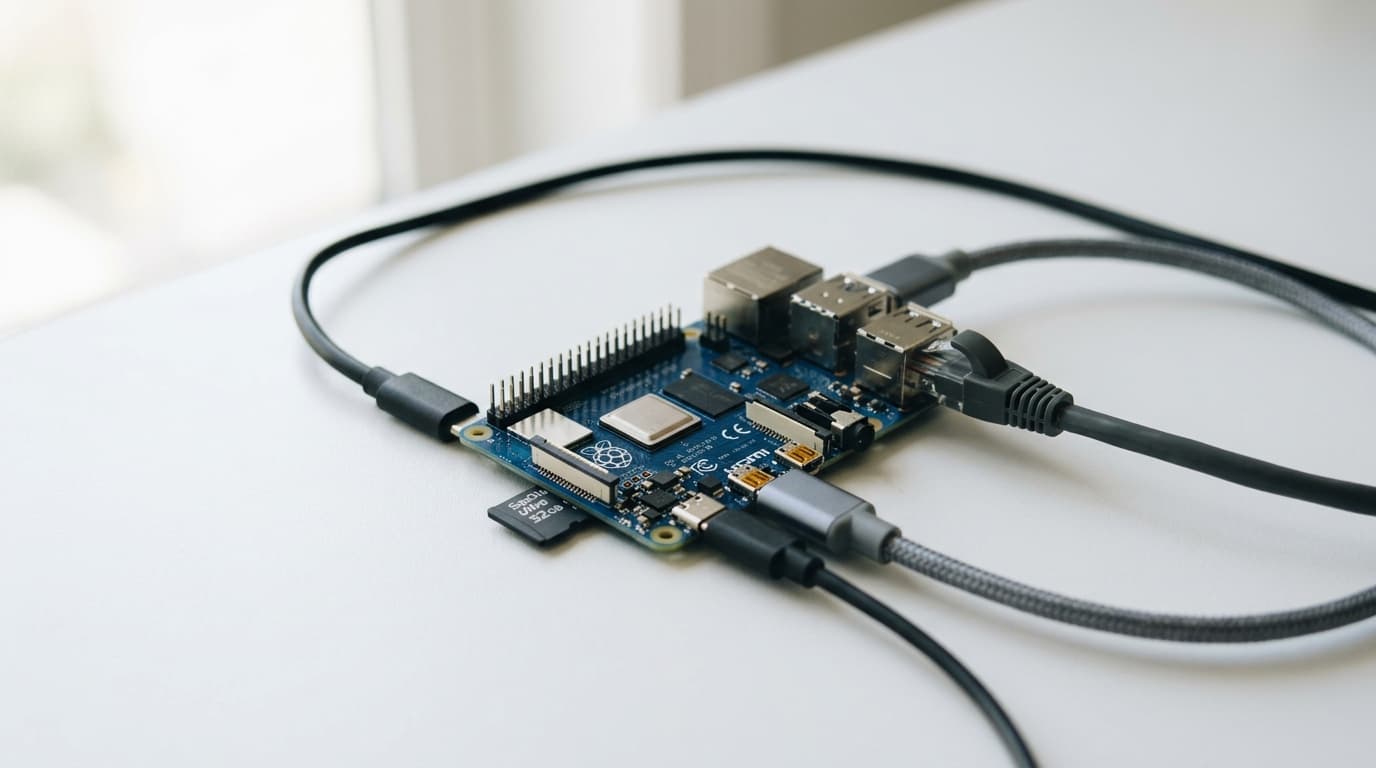
Running Alby Hub on a Raspberry Pi means your Lightning node stays online 24/7 without tying up your main computer. This matters for receiving payments and maintaining channel health.
Prerequisites: A Raspberry Pi 4 or newer with Raspberry Pi OS installed. Enable SSH access for remote management.
Installation: Connect via SSH and run the official install script:
```
/bin/bash -c "$(curl -fsSL https://getalby.com/install/hub/pi-aarch64-install.sh)"
```
Once installed, access your hub at `hostname.local` (replacing "hostname" with your Pi's actual hostname).
The tradeoff here is that a Raspberry Pi has limited processing power and storage compared to a full server. For personal use or a small family setup, it's typically sufficient. For running a routing node or handling high volumes, consider beefier hardware.
Server and Docker Deployment
For those comfortable with server administration, Alby Hub can run via Docker or directly from binaries. This approach suits people who want full control over their infrastructure or need to integrate with existing systems.
Environment variables configure the LDK or LND connection details. PostgreSQL support is optional but available for larger deployments. The GitHub repository contains detailed documentation for these advanced scenarios.
The critical requirement for server deployments: your node must run continuously. Lightning channels require your node to be online to receive payments and, more importantly, to watch for potential channel breach attempts.
Connecting Apps and Devices
Once your hub is running, the real utility comes from connecting apps. Alby Hub generates NWC URIs or QR codes that link external applications to your Lightning wallet.
Alby Go mobile app: Scan the QR code to control your hub from your phone. You can send and receive payments without exposing your full node access.
Browser extension: Connect the Alby browser extension to your hub for paying Lightning invoices across the web.
Nostr clients: Apps like Damus can use NWC to send zaps directly from your self-custodial wallet.
Each connection can have its own budget and permissions. You might give a Nostr client permission to spend 1,000 sats per day automatically while requiring manual approval for larger amounts.
The Managed Alternative
Not everyone wants to maintain their own infrastructure. Alby Cloud offers hosted hub management at $12.90 per month (payable in Bitcoin) while you retain control of your keys. The provider manages channel liquidity and uptime; you keep custody of the funds.
This represents a genuine tradeoff between sovereignty and convenience. Self-hosting gives you complete control but requires attention. Alby Cloud reduces operational burden but introduces some trust assumptions about infrastructure availability.
Is Self-Hosting Worth It?
For users who make occasional Lightning payments, a custodial wallet might be simpler and adequate for the amounts involved. Self-hosting makes more sense when:
- You're handling larger amounts where custody matters
- You want to receive payments reliably (Lightning addresses, streaming sats)
- You're onboarding family members with sub-wallets
- You value not asking permission to spend your own money
Alby Hub lowers the barrier significantly compared to running raw LND or Core Lightning, but it's not zero. You'll still need to understand basic concepts like channel capacity, inbound liquidity, and the importance of keeping backups.
The current version (v1.15.0 as of early 2025) continues adding features and LSP integrations that make the experience smoother. If self-custody matters to you but running a full node seemed too daunting, Alby Hub occupies a practical middle ground worth exploring.