
How to Set Up Home Bitcoin Mining with Altair Tech's NerdMiner V2
Complete setup guide for the NerdMiner V2 lottery miner. Learn WiFi configuration, pool setup, and what to realistically expect from 1W educational mining.
The NerdMiner V2 won't make you rich. At 55 KH/s, your odds of solo mining a Bitcoin block are roughly one in several million. But that's not really the point. This compact, open-source device offers something more valuable for many Bitcoin enthusiasts: a tangible connection to the mining process, a conversation-starting desk gadget, and a genuine (if tiny) contribution to network decentralization.
Here's how to get one running in about ten minutes.
What You're Working With
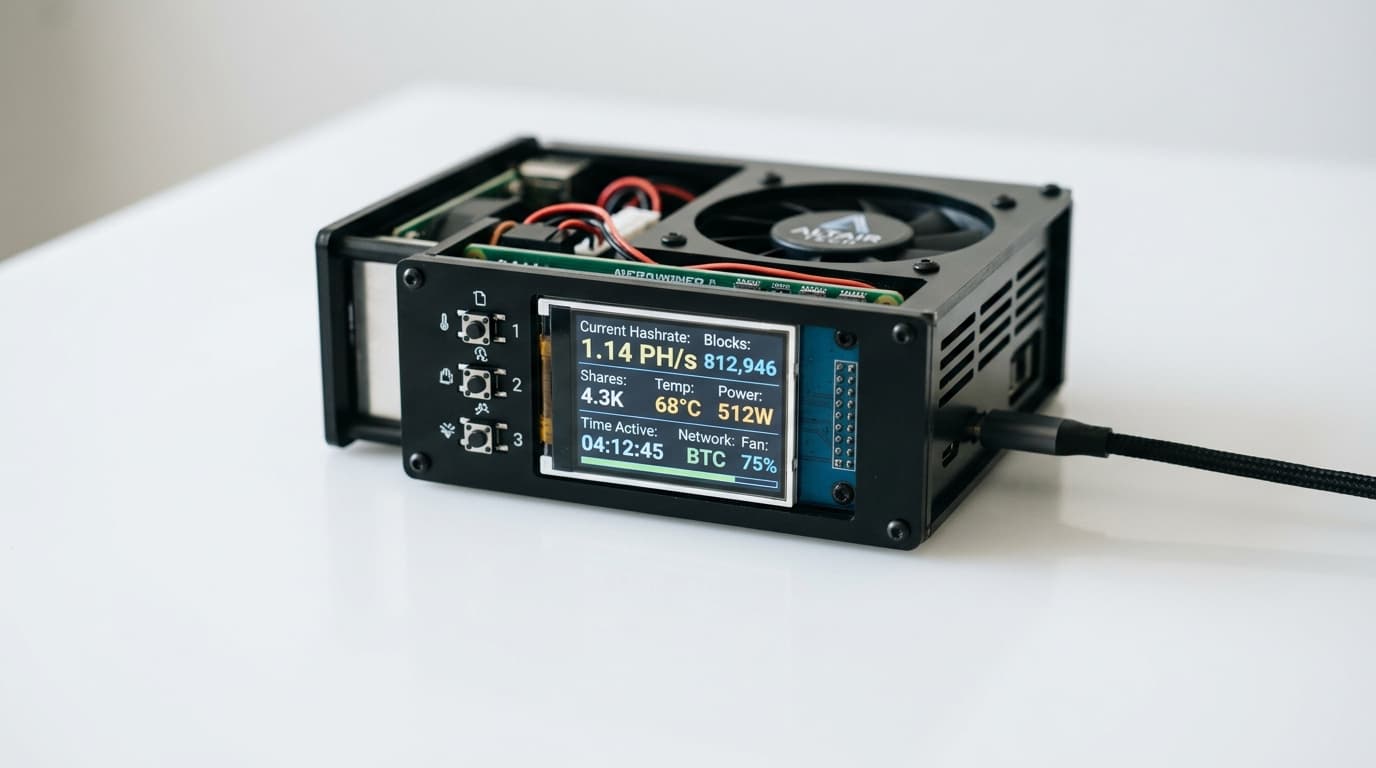
The NerdMiner V2 from Altair Tech is built around an ESP32-S3 microcontroller and draws roughly 1 watt of power. It features a 1.9-inch ST7789 display that shows your mining statistics, a Bitcoin clock, and network data. Two buttons let you cycle through screens and reset the device.
Power comes from any USB-C source. A phone charger works fine. The device connects to your home WiFi and communicates with a solo mining pool, continuously attempting to find a valid block. When it does (and statistically speaking, this is extremely unlikely), you'd receive the full block reward.
Think of it as a lottery ticket that never expires and costs about $0.09 per year in electricity.
Step-by-Step Setup
Step 1: Power On and Connect to the Device
Plug the NerdMiner V2 into any USB power source. The screen will light up and the device will create its own WiFi access point.
On your phone or computer, open your WiFi settings and look for a network called NerdMinerAP. Connect to it using the password MineYourCoins.
Step 2: Access the Configuration Portal
Once connected, your browser should automatically redirect to the configuration page. If it doesn't, navigate to 192.168.4.1 in your browser.
You'll see a simple interface for entering your settings.
Step 3: Configure Your Home WiFi
Enter your home WiFi network name and password. One important note: the NerdMiner V2 only works with 2.4GHz networks. If your router broadcasts both 2.4GHz and 5GHz bands with the same name, you may need to temporarily disable the 5GHz band or create a separate 2.4GHz network.
Some users have reported connection issues with certain router configurations. If you encounter problems, a full reset (hold the top button for 5 seconds) and starting fresh usually resolves them.
Step 4: Enter Your Bitcoin Address
Paste a Bitcoin wallet address where you'd like any theoretical winnings sent. This should be an address you control, whether from a hardware wallet, software wallet, or exchange (though self-custody is generally preferred).
Double-check this address. If you ever did win a block, you'd want those funds going to the right place.
Step 5: Select a Solo Mining Pool
Here's where the NerdMiner differs from traditional mining setups. Regular mining pools reject hardware below 1 TH/s because the shares are too small to track efficiently. The NerdMiner operates at 55 KH/s, about 18 million times slower than that threshold.
Instead, you'll connect to a pool specifically designed for lottery miners. The most commonly used option is:
public-pool.io:21496
Enter this as your pool address. This pool accepts low-hashrate miners and forwards valid blocks to the Bitcoin network on your behalf.
Step 6: Save and Monitor
Save your configuration. The NerdMiner will reboot, connect to your home WiFi, and begin mining.
On the display, look for two icons:
- A pickaxe icon indicates active mining
- A WiFi icon confirms network connectivity
You can also monitor your miner's status on the pool's website by searching for your Bitcoin address.
Understanding What the Display Shows
The NerdMiner's screen cycles through several views. You'll see your current hashrate (expect around 50-55 KH/s), the number of hashing attempts, and global Bitcoin network statistics including current difficulty and block height.
The device also functions as a Bitcoin-themed clock, displaying the time and date alongside network data. Use the buttons to manually switch between screens.
Keeping Your Firmware Current
Altair Tech ships the NerdMiner V2 with functional firmware, but updates occasionally add features or fix bugs. The open-source project, maintained on GitHub at BitMaker-hub/NerdMiner_v2, released version 1.8.3 in September 2025.
To update, you can use the NM2 online flasher tool or ESPtool. The process is straightforward but not required for basic operation.
Setting Realistic Expectations
Let's be direct about the math. Bitcoin's network difficulty in 2026 is astronomically high. Professional mining operations deploy machines with hashrates measured in hundreds of terahashes per second. The NerdMiner V2's 55 kilohashes per second is not a competitive mining tool.
Your odds of finding a block are comparable to winning a lottery. People do win lotteries, and solo miners with minimal hardware have occasionally found blocks throughout Bitcoin's history. But building any financial expectation around this outcome would be unwise.
What you're actually getting:
- Education: A hands-on understanding of how Bitcoin mining works
- Decentralization: A tiny but real contribution to network security
- Novelty: A conversation piece that explains itself
- Low-stakes fun: The perpetual possibility, however remote, of an unexpected windfall
At roughly $50 for the device and under a dollar per year in electricity, the NerdMiner V2 is priced appropriately for what it offers.
Troubleshooting Common Issues
Device won't connect to WiFi: Confirm you're using a 2.4GHz network. Try a full reset by holding the top button for 5 seconds, then reconfigure from scratch.
No mining activity: Verify your pool address is entered correctly. Check that your internet connection is stable.
Hashrate seems low: The NerdMiner V2 tops out around 55 KH/s. This is normal and expected.
Want to change pools: A device reset will return you to the configuration portal where you can enter new pool details.
The Bigger Picture
The NerdMiner V2 belongs to a category of Bitcoin products designed for participation rather than profit. Every active miner, regardless of hashrate, represents another node in the network's security model. While your individual contribution is negligible, the collective effect of thousands of small miners adds resilience to Bitcoin's decentralized infrastructure.
For educators, makers, and Bitcoin enthusiasts who want something more tangible than watching charts, the NerdMiner V2 offers exactly what it promises: an accessible entry point into the mechanics of Bitcoin mining, wrapped in a device that looks good on a desk and runs on pocket change worth of electricity.
Just don't quit your day job.