
How to Set Up Proto Mining Hardware with Fleet Management from Scratch
A complete walkthrough for assembling Proto mining hardware and configuring the open-source Proto Fleet software for monitoring and optimization.
Bitcoin mining hardware has historically meant dealing with fragile machines, proprietary firmware, and management software that costs as much as another miner. Proto takes a different approach: modular hardware designed for repairability and free, open-source fleet management software that actually works.
This guide walks through the complete process, from unboxing a Proto-MDK (Mining Development Kit) to monitoring your operation through Proto Fleet.
What's in the Box
The Proto-MDK ships with three hashboards, one control board, and a 16GB microSD card pre-flashed with firmware. According to Proto's 2024 documentation (updated in 2025), these components form the foundation of their modular mining system.
Before you start, you'll need:
- A compatible chassis
- Power supply unit (PSU)
- Fans
- M3 and M4 screws for mounting
- Busbars for power distribution
- 200-240V AC power outlet
- Ethernet connection
- A computer on the same network for initial configuration
Hardware Assembly
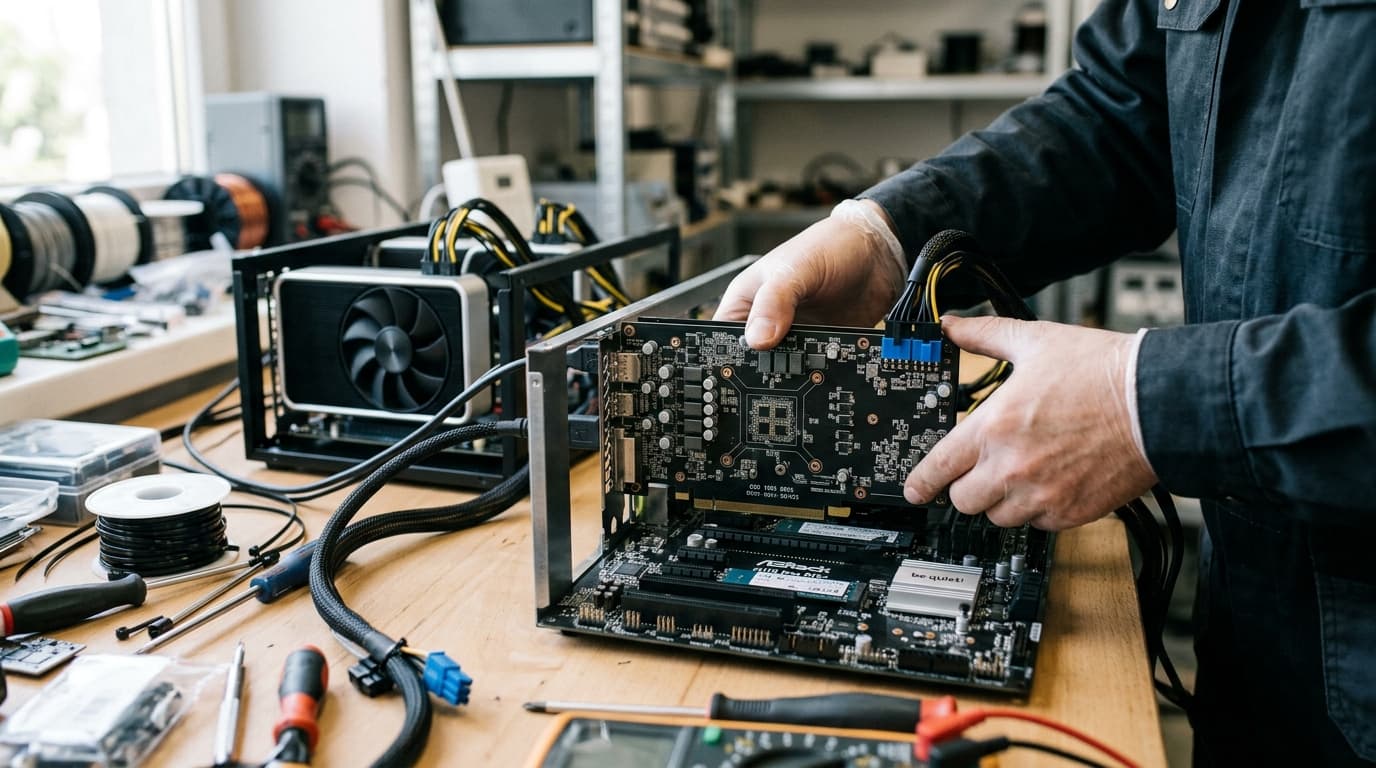
Proto's assembly process emphasizes accessibility over complexity. The modular design means you're essentially slotting components together rather than wrestling with proprietary configurations.
Installing the Hashboards
Insert each hashboard into the chassis slots with the baffle facing left and heatsinks facing right. This orientation matters for airflow. The boards should slide in smoothly; forcing them risks damaging the connectors.
Mounting the PSU and Power Distribution
Attach the PSU to the chassis using M3 screws. Then install the busbars with M4 screws, ensuring solid contact at each connection point. Poor busbar connections create resistance and heat, so take your time here.
Control Board and Firmware
Mount the control board in its designated slot and insert the pre-flashed microSD card. Connect the voltage cable from the PSU to the control board. Finally, install the fans. Proto's tool-free fan design means future replacements won't require shutting down adjacent units.
Powering On and Initial Configuration
Plug the unit into a 200-240V AC outlet. During the first boot, the LEDs will flash red before transitioning to green, confirming successful firmware upload. This process takes a few minutes; don't interrupt power during this phase.
Once the green lights confirm operation, you need network access to complete configuration.
Finding Your Miner on the Network
Connect the miner via Ethernet. You can access the dashboard using either the miner's hostname (formatted as proto-miner-XXXX, where XXXX is your unit's identifier) or by scanning your network for the IP address using a tool like Nmap.
Type the hostname or IP into your browser to access the dashboard.
Dashboard Configuration
Your first step in the dashboard is setting a secure password. Don't skip this; an unsecured miner on a network is an invitation for problems.
Next, configure your mining pools. The interface supports a primary pool plus two backups. Having multiple pools configured means your hardware keeps working if your primary pool goes down. Enter your pool URLs and worker credentials for each.
Setting Up Proto Fleet
Individual miner dashboards work fine for one or two units. Anything beyond that becomes tedious. Proto Fleet addresses this with fleet-wide management from a single interface.
Proto Fleet is free, open-source software announced in August 2025 that supports both Proto hardware and Bitmain miners. The open-source nature means you can inspect the code, contribute improvements, or fork it for custom needs.
Installation and Network Discovery
Proto Fleet currently runs as an on-premises deployment. According to Proto's 2025 announcements, cloud and hybrid deployment options are in development.
Once installed on a machine on your network, Proto Fleet automatically scans for compatible miners and pairs with them. No manual entry of IP addresses for each unit. This auto-discovery significantly reduces setup time for larger deployments.
Fleet Monitoring and Management
The interface provides real-time monitoring across all paired miners. You can see hashrate, temperatures, uptime, and error states at a glance. More granular chip-level monitoring is currently in beta with broader availability expected in 2026.
Bulk actions let you apply settings across multiple miners simultaneously. Need to switch pools for your entire operation? That's a single action rather than logging into fifty separate dashboards.
Power tuning through the interface lets you optimize the balance between hashrate and power consumption. This matters particularly for operations with power constraints or variable electricity pricing.
Diagnostics and Maintenance
Proto Fleet includes diagnostic tools that identify problematic boards or chips before they cause broader issues. The maintenance tracking features help you schedule replacements and track hardware lifecycle.
For operators accustomed to cobbling together monitoring solutions from various scripts and third-party services, having diagnostics integrated into the management layer simplifies operations considerably.
The Modular Hardware Advantage
Proto's design philosophy centers on repairability and density. According to Proto's 2025 specifications, the Proto Rig achieves approximately 1.5x rack density compared to legacy hardware. For operations constrained by facility space, this means more hashrate without infrastructure expansion.
The modular architecture allows hashboard swaps without taking down the entire unit. If a board fails, you pull it and slot in a replacement while the remaining boards continue hashing. Tool-free fan repairs mean even basic maintenance doesn't require racking out units or finding the right screwdriver.
This design philosophy extends to Proto's broader ecosystem. They sell standalone ASIC chips to other manufacturers and offer evaluation kits for developers exploring unconventional deployments like heat reuse systems or off-grid mining configurations.
Practical Considerations
A few things worth noting before you commit:
Electrical requirements: The 200-240V power requirement means standard 120V household outlets won't work. Ensure your facility has appropriate electrical infrastructure before ordering hardware.
Network security: Your miners need network access for pool communication, but they don't need internet-wide exposure. Segment your mining network appropriately and keep firmware updated.
Firmware updates: Proto continues developing their firmware. Check proto.xyz periodically for updates that may improve efficiency or add features.
Support channels: As a newer entrant compared to established manufacturers, Proto's support ecosystem is still developing. The open-source nature of Proto Fleet means community support exists alongside official channels.
Moving Forward
The combination of repairable hardware and transparent software represents a meaningful shift in how mining operations can run. Whether the tradeoffs work for your specific situation depends on factors like your scale, technical comfort level, and existing infrastructure.
For operators tired of vendor lock-in and hardware that requires complete replacement at the first sign of trouble, Proto's approach merits serious consideration. The fact that the fleet management software is free and open-source removes one common barrier to evaluation; you can run Proto Fleet against existing compatible hardware before committing to new purchases.
Start with the official documentation at proto.xyz for the latest firmware versions and pool compatibility lists. The modular nature of both the hardware and software means you can scale your deployment incrementally rather than making an all-or-nothing commitment upfront.