
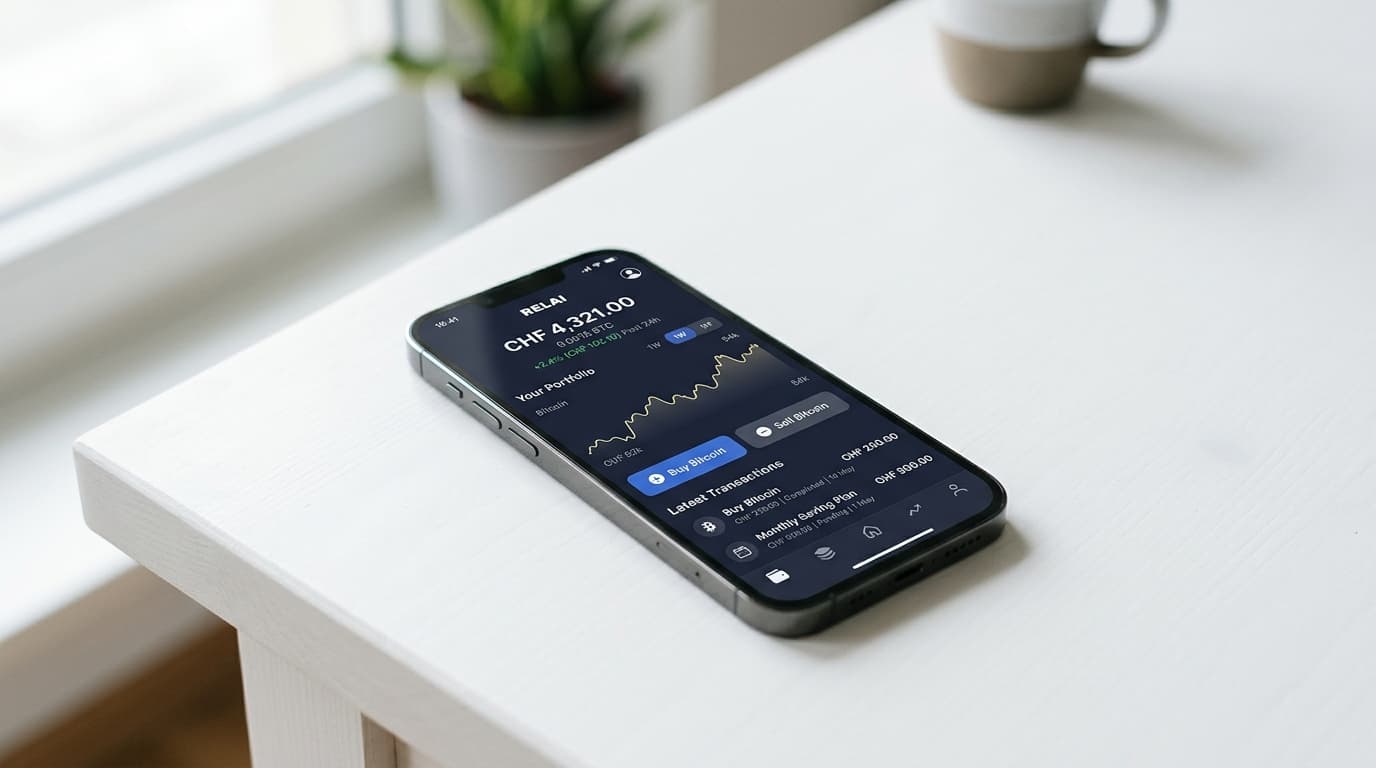
How to Set Up Automatic Bitcoin Purchases with Relai App
Step-by-step guide to setting up recurring Bitcoin buys with Relai App, from bank connection to self-custody wallet delivery.
Starting at €10 per purchase, you can build a Bitcoin position automatically without ever logging into an exchange or timing the market. Relai App, a Swiss-made Bitcoin investment platform now operating under EU regulation, has built its entire product around this premise: recurring purchases that land directly in your self-custody wallet.
The setup takes about ten minutes. Here's exactly how it works.
Why Automatic Bitcoin Buying Makes Sense
Dollar-cost averaging (DCA) removes the psychological burden of deciding when to buy. Instead of agonizing over whether Bitcoin's current price represents a good entry point, you commit to purchasing a fixed amount at regular intervals, whether that's weekly or monthly.
Over time, this approach smooths out volatility. You buy more Bitcoin when prices are low, less when prices are high, and avoid the common mistake of waiting for a dip that never comes or panic-buying during a rally.
Relai's auto-invest feature automates this entirely. Once configured, orders are created automatically at midnight on your chosen execution date, and Bitcoin arrives in your wallet without further action.
Step 1: Download and Create Your Account
Relai is available on both iOS and Android. After downloading, you'll create an account and complete identity verification. As of February 2026, EU users operate under the EU regulatory framework, which brought faster transaction processing and higher purchase limits compared to the previous Swiss-only setup.
During onboarding, the app generates a 12-word recovery phrase. This is critical: Relai operates a non-custodial model, meaning you control your own keys. The company cannot access your Bitcoin or recover funds if you lose this phrase. Write it down on paper and store it somewhere secure, not in a notes app or cloud service.
Version 3.0, released in April 2025, streamlined this onboarding process with improved security features and clearer account management.
Step 2: Configure Your Auto-Invest Plan
Once verified, navigate to the auto-invest section. You'll set three parameters:
Amount: Minimum investments start at €10-25 (or CHF equivalent). Relai offers 0% fees on qualifying first auto-invest plans when the monthly investment falls between €50-100 or CHF 50-100, making this range particularly cost-effective for new users.
Frequency: Choose weekly or monthly recurring purchases. Weekly tends to provide slightly better cost averaging during volatile periods, though monthly works fine for most people.
Payment method: You can fund purchases via SEPA bank transfer, credit or debit card, Apple Pay, or Google Pay. Card payments and mobile wallets debit automatically on schedule. Bank transfers require you to initiate payment within a specific window (more on this below).
One limitation worth noting: you cannot modify an auto-invest plan after creation. If you want to change the amount or frequency, you'll need to cancel the existing plan and create a new one. You can maintain up to five active plans simultaneously, which provides some flexibility for different savings goals.
Step 3: Connect Your Bank or Authorize Card Payments
This step differs depending on your payment method.
For Card Payments (Credit, Debit, Apple Pay, Google Pay)
Authorize the recurring charge during setup. Relai will automatically debit your card on each scheduled purchase date. This is the most hands-off approach since no further action is required after initial authorization.
For SEPA Bank Transfers
Bank transfers require slightly more involvement. When your auto-invest order is created (at midnight on the execution date), you'll receive payment instructions. EU users have a 4-day (96-hour) window to complete the transfer. Swiss users have up to 45 days.
The practical approach for bank transfer users: set up a recurring standing order from your bank account to Relai's payment details. Match the standing order amount and frequency to your auto-invest plan, and the payments will align automatically.
SEPA transfers typically cost nothing from your bank's side and avoid the small percentage fees that card networks charge, making them the most economical option for larger recurring purchases.
Step 4: Verify Your Bitcoin Arrives
After your first successful purchase, Bitcoin will appear in your Relai wallet. Because the app is non-custodial, these coins are technically already under your control via that 12-word recovery phrase.
You can verify receipt in the app's transaction history. Each purchase shows the amount of Bitcoin received, the exchange rate at execution, and any fees applied.
For users who prefer storing Bitcoin in a separate hardware wallet, you can periodically withdraw from Relai to your external address. However, one of Relai's main value propositions is that coins land in a self-custody wallet by default, so many users simply leave the app wallet as their primary storage.
What This Costs
Relai's fee structure rewards consistent buyers. The 0% fee tier for qualifying first auto-invest plans (€50-100 monthly) provides a genuine cost advantage for starting out. Standard fees apply to amounts outside this range or after the promotional period.
Referral programs offer 0.1% fee reductions, which has driven significant user growth according to company materials. If you know someone already using Relai, asking for their referral code before signing up is worth the minor effort.
Card payments may incur additional processing fees compared to bank transfers, a standard tradeoff across the industry.
Tradeoffs to Consider
Relai optimizes for simplicity and self-custody, but this comes with constraints.
The inability to edit existing auto-invest plans adds friction if your financial situation changes. Creating a new plan isn't difficult, but it's an extra step compared to platforms that allow in-place modifications.
Geographic availability, while expanded under EU regulation, still limits access primarily to European residents. Swiss and EU users across 20+ countries including Germany, France, Netherlands, and Spain can access the service via SEPA.
And the non-custodial model, while a security advantage, places full responsibility on you. Lose your recovery phrase and your Bitcoin is gone permanently. Relai cannot help.
Making It Work Long-Term
The most successful DCA setups are the ones you forget about. Configure an amount you can sustain through both bull and bear markets, automate the payment as completely as possible, and resist the urge to check prices constantly.
Relai's design encourages exactly this behavior. There's no trading interface, no charts beyond basic price display, no features that tempt you to time the market. It's a savings app that happens to denominate your savings in Bitcoin.
For European residents who want the simplest path from bank account to self-custodied Bitcoin, this specific combination of automatic purchasing and direct wallet delivery addresses the core friction points that stop people from building a Bitcoin position consistently.